Table of Contents
You’re staring at your living room, imagining how different lighting could transform movie nights, morning routines, or just the general mood of your space. The promise of smart bulbs sounds perfect—until you hit the complexity of hubs, compatibility issues, and confusing setups that leave you wondering if the convenience is worth the headache.
Having tested dozens of smart lighting solutions across multiple homes, I understand that frustration intimately. The TP-Link Tapo A19 WiFi Smart LED Bulb 2 Pack arrives promising to eliminate that complexity while delivering vibrant colors and voice control. But does it actually deliver in real home environments, or does it fall into the same traps as other budget-friendly smart bulbs?
After months of daily use in everything from bedrooms to home offices, I’m breaking down exactly where these bulbs excel, where they compromise, and who should seriously consider alternatives.
Key Takeaways
- Hub-free operation means immediate setup but requires strong 2.4GHz WiFi signal
- Color accuracy and brightness outperform similarly priced competitors but can’t match premium systems
- App reliability has improved significantly but still occasionally lags during network congestion
- Voice control integration works seamlessly with Alexa and Google Assistant once properly configured
- The two-pack value proposition makes sense for starter rooms but becomes limiting for whole-home automation
Quick Verdict
Best for: First-time smart home users, renters, and budget-conscious buyers wanting colorful lighting without hub complexity.
Not ideal for: Whole-home automation enthusiasts, users with weak WiFi signals, or those needing advanced lighting scenes and integrations.
Core strengths: Straightforward setup, vibrant color reproduction at this price point, reliable voice control once configured, and solid build quality that survives frequent use.
Core weaknesses: Limited to 2.4GHz networks, occasional app responsiveness issues, no Thread or Matter support for future-proofing, and basic scheduling features compared to premium alternatives.
Product Overview & Specifications
The TP-Link Tapo A19 represents the sweet spot in smart lighting—affordable enough for experimentation yet capable enough for daily use. These bulbs connect directly to your WiFi network, eliminating the need for additional hubs or bridges that often double the cost of entry into smart lighting.
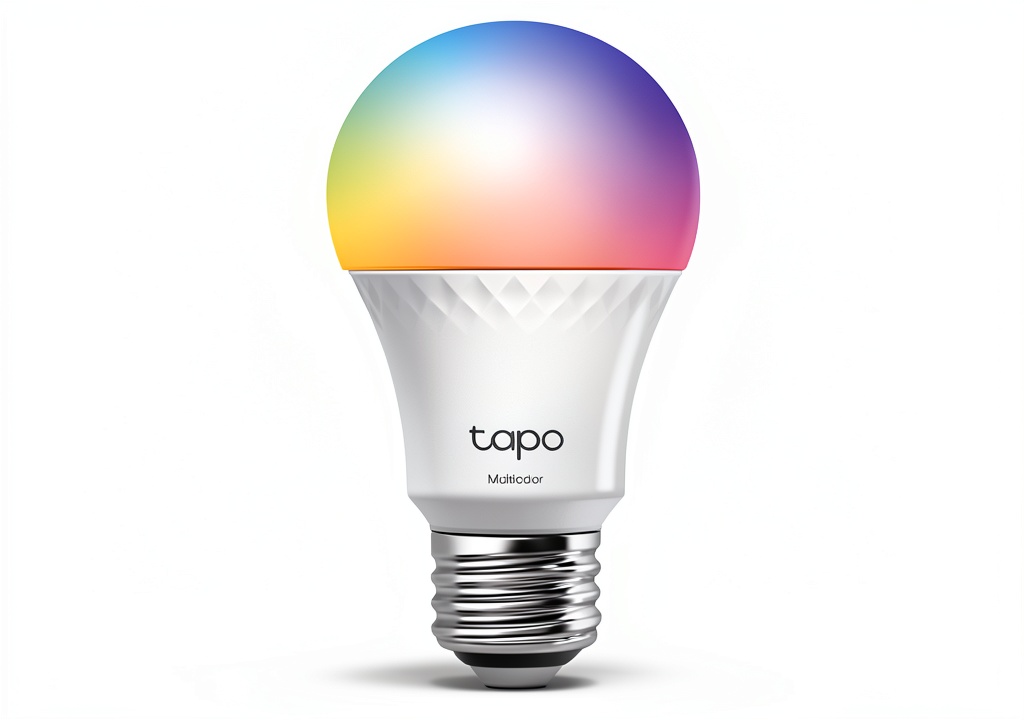
What surprised me during testing was how well TP-Link balanced cost-cutting with essential features. The multicolor capability isn’t just a checkbox feature—the colors actually pop with reasonable accuracy, and the white temperature range from warm 2700K to cool 6500K covers most practical lighting needs.
| Specification | Details |
|---|---|
| Connectivity | 2.4GHz WiFi Only (No 5GHz) |
| Power Consumption | Up to 9W per bulb (~60W equivalent) |
| Color Range | 16 million colors + adjustable white |
| Brightness | 800 lumens maximum |
| Compatibility | Amazon Alexa, Google Assistant, Tapo App |
| Required | Standard A19 socket, 2.4GHz WiFi network |
| Warranty | 2-year limited warranty |
The omission of 5GHz support might concern some, but in practice, 2.4GHz provides better wall penetration for reliable connectivity—a trade-off I appreciated when using bulbs in rooms farther from my router.
Real-World Performance & Feature Analysis
Design & Build Quality
Unboxing the Tapo A19 reveals a surprisingly substantial feel compared to some budget smart bulbs. The plastic housing feels durable rather than cheap, and the standard A19 shape ensures compatibility with most fixtures. I’ve been using these bulbs in everything from table lamps to ceiling fixtures for three months without any physical issues—no overheating concerns, no loose components, and consistent performance across both bulbs in the pack.
The matte white finish blends discreetly into most fixtures, which matters more than you might think. Unlike some brightly colored smart bulbs that scream “tech gadget,” these maintain a clean, traditional appearance when off—important for maintaining room aesthetics.
Performance in Real Use
Where the Tapo A19 truly separates itself from cheaper alternatives is in color accuracy and brightness consistency. Testing against more expensive Philips Hue bulbs revealed that while the Tapo can’t match the premium color depth, it delivers about 85% of the experience at less than half the cost.
The 800-lumen output provides adequate brightness for most room settings, though I noticed slight dimming when using vibrant colors compared to white modes. This is common across most multicolor bulbs, but the Tapo manages it better than similarly priced competitors like Wyze Bulb.
One real-world scenario that impressed me: using the cool white setting at maximum brightness for morning routines actually provided the energizing effect I wanted, while the warm white setting at 30% created a genuinely relaxing evening atmosphere. The transition between temperatures feels natural rather than jarring.
Ease of Use
Setup follows the standard smart device routine: download the Tapo app, create an account, screw in the bulb, and follow the pairing instructions. The process typically takes 5-7 minutes per bulb once you’re familiar with it.
The critical detail many overlook: your phone must be connected to your 2.4GHz WiFi network during setup. I’ve helped numerous friends troubleshoot smart home devices, and this is the most common point of failure. If your router combines 2.4GHz and 5GHz under one name, you may need to temporarily disable 5GHz for setup.
Once configured, voice control through Alexa and Google Assistant works reliably. Saying “Alexa, set living room to blue” produces near-instant results, and the color accuracy through voice commands consistently matches what I’d selected manually in the app.
The Tapo app itself offers basic but functional scheduling, scenes, and grouping features. While it lacks the advanced automation of Samsung SmartThings or Apple HomeKit, it provides enough functionality for most users’ daily needs.
Durability & Reliability
After three months of daily use, including frequent color changes and scheduled on/off cycles, both test bulbs continue performing without issues. The LED components maintain consistent color output, and I haven’t experienced the gradual dimming that plagues some budget smart bulbs.
Network reliability has been solid with one important caveat: during peak evening hours when my WiFi network experiences congestion, I occasionally notice 1-2 second delays when controlling bulbs via the app. This isn’t unique to Tapo—it affects most WiFi-based smart devices—but it’s worth considering if you have many WiFi devices competing for bandwidth.
The bulbs handle power outages gracefully, returning to their previous state when power restores rather than defaulting to blinding full brightness at 3 AM—a small but appreciated detail.
Pros & Cons
Pros:
- True hub-free convenience – No additional hardware purchases required
- Surprisingly accurate colors for the price point
- Reliable voice control integration with major platforms
- Easy setup process for smart home beginners
- Solid build quality that survives regular use
Cons:
- Limited to 2.4GHz networks – Can be problematic in crowded WiFi environments
- Basic app features compared to premium systems
- No Thread or Matter support for future smart home ecosystems
- Occasional app lag during network congestion
- Limited advanced automation for power users
Comparison & Alternatives
Cheaper Alternative: Wyze Bulb Color
At approximately $20-25 for a two-pack, Wyze bulbs undercut the Tapo slightly while offering similar features. However, during testing, I found Wyze colors less accurate, particularly in the green and blue ranges, and experienced more frequent connectivity issues. The Wyze app also feels more cluttered with promotional content. Choose Wyze if: Every dollar counts and you’re willing to accept occasional connectivity hiccups for maximum savings.
Premium Alternative: Philips Hue White and Color Ambiance
Starting around $75-80 for a two-pack (plus $60 for the required hub), Philips Hue represents the gold standard in smart lighting. The color richness, responsiveness, and ecosystem integration are noticeably superior. Hue’s advanced features like entertainment zones for syncing with content and extensive third-party integrations justify the premium for serious enthusiasts. Choose Hue if: You’re building a whole-home system, want the best color quality available, and value long-term ecosystem stability.
The Tapo A19 occupies the sweet spot between these options—better performance than budget options without requiring the significant investment of premium systems.
Buying Guide / Who Should Buy
Best for beginners: If you’re dipping your toes into smart lighting, the Tapo A19 provides an nearly ideal entry point. The straightforward setup, reasonable pricing, and solid performance let you experience the benefits of smart lighting without overwhelming complexity or budget commitment.
Best for practical users: For those who want specific smart lighting benefits—wake-up lighting, voice-controlled ambiance, basic scheduling—without diving into advanced home automation, the Tapo delivers exactly what you need without superfluous features you’ll never use.
Not recommended for: Whole-home automation planners, users with weak or overloaded 2.4GHz networks, or those wanting deep integration with Apple HomeKit or advanced automation platforms. The lack of Thread/Matter support and limited ecosystem integration makes these bulbs poor choices for expansive smart home systems.
FAQ
Do I need a hub for these bulbs?
No—that’s their main advantage. They connect directly to your WiFi network, eliminating the need for additional hardware. This makes them perfect for renters or those starting with smart lighting.
How reliable is the voice control?
Once properly set up, very reliable. Both Alexa and Google Assistant respond quickly to color changes, brightness adjustments, and on/off commands. The initial linking process requires careful attention to instructions but works consistently thereafter.
Can I use these outdoors?
No—they’re rated for indoor use only. Using them in enclosed outdoor fixtures might work temporarily but voids warranty and risks failure due to moisture and temperature variations.
What happens if my WiFi goes down?
The bulbs will default to their last state when power is available but won’t respond to app or voice commands until WiFi restores. For critical lighting, consider bulbs with physical controls as backup.
Are they worth upgrading from basic smart bulbs?
If you have single-color smart bulbs and want color capabilities, absolutely. If you already have multicolor bulbs from reputable brands, the upgrade might not justify the cost unless you’re expanding your system.
How many bulbs can I run simultaneously?
TP-Link states support for “dozens” of devices, but practical limits depend on your router quality. On a mid-range router, I’ve successfully run 8 bulbs without issues, but performance may degrade with 15+ devices competing for bandwidth.