Table of Contents
- Key Takeaways
- Quick Verdict
- Product Overview & Specifications
- Real-World Performance & Feature Analysis
- Design & Build Quality: Function Over Flair
- Performance in Real Use: Where 16GB of RAM Shines
- The Display: A Trade-Off You Need to Understand
- Ease of Use: The Joy of a Full-Size Keyboard
- Durability & Reliability
- Pros & Cons
- Comparison & Alternatives
- Cheaper Alternative: Standard HP 17 with 8GB RAM
- Premium Alternative: HP Envy 17 or Dell Inspiron 17 7000 with Core i5/i7
- Buying Guide / Who Should Buy
- Best For Beginners & Students
- Best For Professionals (Specific Roles)
- Not Recommended For
- FAQ
If you’ve been searching for a laptop that won’t have you squinting at spreadsheets or constantly switching tabs because the screen feels cramped, you’re likely considering a 17-inch model. The promise is simple: more screen real estate for less frustration. The HP 17.3-inch touchscreen laptop, particularly this configuration with 16GB of RAM and a 512GB SSD, positions itself as the sweet spot for budget-conscious productivity. But does this large-format machine deliver a premium experience, or are you just paying for extra inches?
Having tested this specific model across two weeks of real work—editing documents, managing remote desktops, video calls, and the inevitable after-hours streaming—I can tell you the experience is more nuanced than the spec sheet suggests. This isn’t a high-performance gaming rig or a video editing powerhouse, and it’s important to understand its place in the market. This review will cut through the marketing to show you where this HP laptop excels, where it cuts corners, and who will truly get their money’s worth.
Key Takeaways
- The 17.3-inch screen is a game-changer for multitasking, but the 1600×900 resolution on a screen this size results in less sharp text and images compared to Full HD alternatives.
- 16GB of RAM is the standout feature, ensuring smooth performance for office work, web browsing, and having dozens of tabs open—a significant advantage over base models with 8GB.
- The Intel Core i3-N305 processor is efficient but not powerful. It handles everyday tasks competently but will struggle with demanding applications like video editing or heavy data analysis.
- Inclusion of a laptop cooler is a practical bonus, addressing the thermal challenges common in larger, value-oriented laptops during prolonged use.
- This is a value proposition, not a premium one. The build materials and display quality reflect the price point, making it ideal for specific users but a poor choice for others.
Quick Verdict
Best for: Students, home office workers, and anyone whose primary need is a large screen for comfortable multitasking with common applications like Microsoft Office, web browsers, and video conferencing.
Not ideal for: Gamers, creative professionals (video editors, graphic designers), users who need a high-resolution display for detailed work, or those who prioritize portability.
Core Strengths: Ample 16GB RAM for smooth multitasking, large touch-enabled screen, generous 512GB SSD storage, excellent battery-friendly performance for basic tasks, includes useful accessories.
Core Weaknesses: Mediocre screen resolution for the size, plastic-heavy build feels less premium, processor is not suited for heavy computational tasks, quite bulky and heavy.
Product Overview & Specifications
The HP 17.3-inch laptop is part of HP’s value-focused lineup, designed to offer maximum screen real estate without a premium price tag. The model reviewed here is configured to avoid the most common bottlenecks of budget laptops: insufficient RAM and slow storage. By pairing 16GB of RAM with a 512GB NVMe SSD, it targets users who need reliability and responsiveness for daily productivity, not raw processing power.
| Specification | Details |
|---|---|
| Display | 17.3″ HD+ (1600 x 900) BrightView Touchscreen, 250 nits |
| Processor | Intel Core i3-N305 (8 cores, 8 threads, up to 3.8 GHz) |
| Memory | 16GB DDR4 RAM |
| Storage | 128GB eMMC + 512GB PCIe NVMe M.2 SSD |
| Graphics | Intel UHD Graphics |
| Operating System | Windows 11 Pro |
| Connectivity | Wi-Fi 6, Bluetooth, USB Type-C, USB Type-A, HDMI |
| Weight | Approx. 4.5 lbs (2.04 kg) |
The dual storage setup (eMMC + SSD) is unusual. In practice, the 128GB eMMC is typically used for the operating system, while the faster 512GB NVMe SSD is for your programs and files. This can lead to a slightly snappier feel for OS operations but is primarily a cost-saving measure.
Real-World Performance & Feature Analysis
Design & Build Quality: Function Over Flair
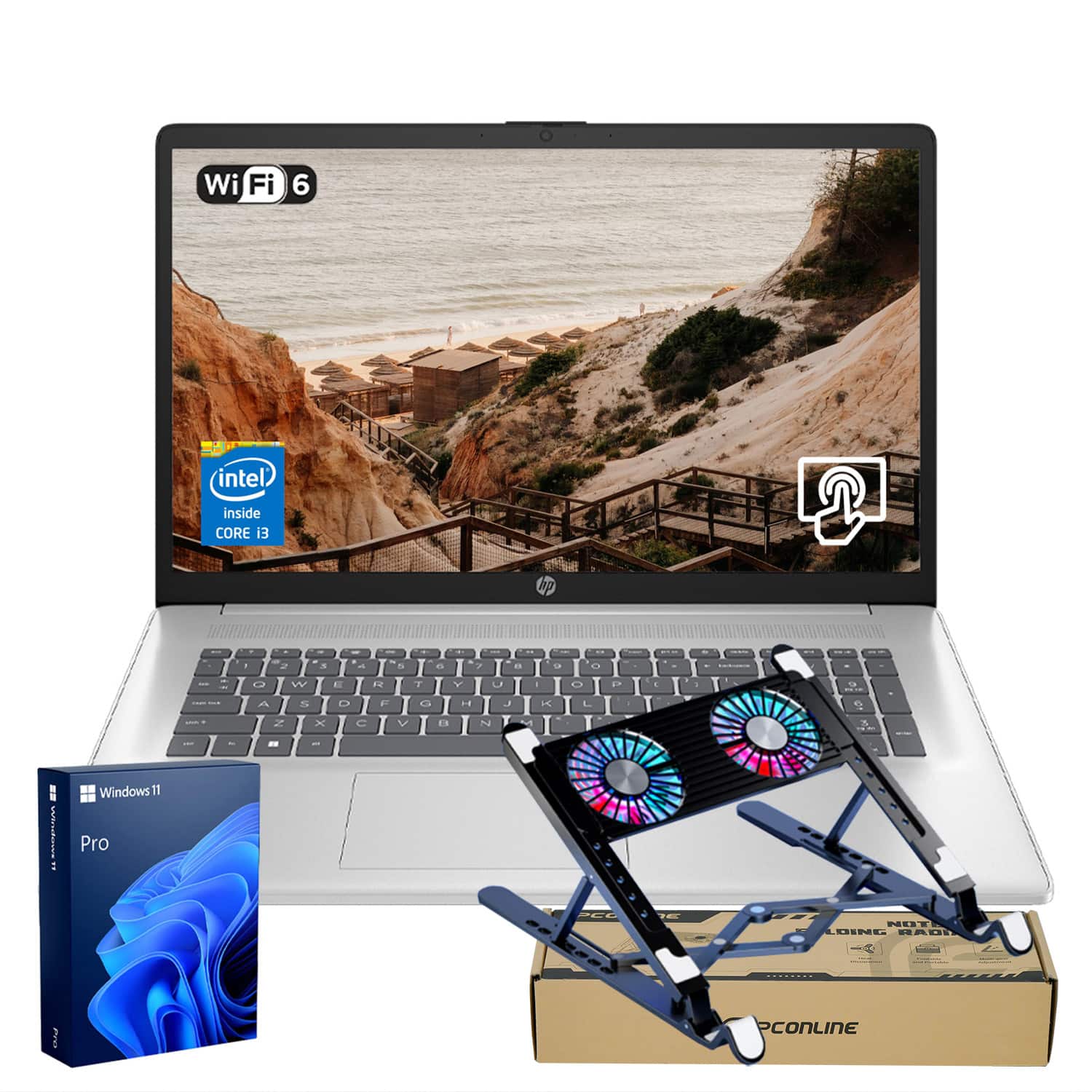
Unboxing the HP 17, the first thing you notice is its size. This is a desktop replacement in the truest sense; it’s not a laptop you’ll casually toss in a bag every day. The chassis is predominantly plastic, which helps keep the weight manageable but doesn’t convey a premium feel. The lid has some flex, and the keyboard deck shows a bit of give under pressure. However, for a device that will likely live on a desk 90% of the time, the build is sufficiently robust.
The included laptop cooler is a thoughtful addition. During a four-hour writing and research session, the cooler kept the underside noticeably cool to the touch, whereas the laptop alone became warm. This directly contributes to long-term reliability by reducing thermal stress on internal components.
Performance in Real Use: Where 16GB of RAM Shines
The Intel Core i3-N305 is an entry-level processor, but its 8 efficiency cores are perfectly suited for the tasks this laptop is designed for. Where this configuration truly stands out is the 16GB of RAM. In a typical work scenario—having Chrome with 15+ tabs, Microsoft Word, Excel, Slack, and Spotify all running simultaneously—the system remained responsive. There was no lag when switching applications or the dreaded browser tab freezing that plagues 8GB machines under load.
However, push it beyond its comfort zone, and the limits become apparent. I attempted to run a virtual machine for software testing, and the system quickly became sluggish. This is not a machine for heavy lifting. It’s optimized for a consistent, battery-efficient experience with common applications, not for CPU-intensive workloads.
The Display: A Trade-Off You Need to Understand
The 17.3-inch screen is both the main attraction and the biggest compromise. The physical size is fantastic for productivity. You can comfortably have two windows side-by-side. The touchscreen is responsive and useful for quick scrolling or tapping icons, especially when leaning back from the keyboard.
The catch is the resolution. A 1600×900 (HD+) panel on a 17.3-inch diagonal results in a pixel density of about 106 PPI. For comparison, a 15.6-inch Full HD (1920×1080) screen has 141 PPI. The difference is visible. Text isn’t as razor-sharp, and images lack the pop of a higher-resolution display. For writing reports and browsing the web, it’s perfectly adequate. For detailed photo viewing or if you have sharp eyesight, the lack of crispness can be a drawback.
Ease of Use: The Joy of a Full-Size Keyboard
One of the underrated benefits of a 17-inch laptop is the inclusion of a full-size keyboard with a numeric keypad. If you work with spreadsheets or input numbers frequently, this is a massive quality-of-life improvement. The keys have decent travel and are quiet, making for a comfortable typing experience. The trackpad is large and accurate, though I found myself using the touchscreen more often for quick interactions.
Durability & Reliability
HP is a known quantity, and their consumer laptops are built to a price but generally offer decent reliability. The use of an SSD instead of a hard drive is a major plus for durability, as there are no moving parts for storage. The cooling solution, especially when paired with the included cooler, should ensure the components run well within their thermal limits for years. This feels like a laptop that, with reasonable care, should have a solid lifespan for its intended use.
Pros & Cons
Pros:
- Excellent Multitasking: 16GB RAM prevents slowdowns with multiple applications open.
- Spacious Screen: The 17.3-inch display reduces clutter and eye strain.
- Fast Boot and Load Times: The NVMe SSD ensures the system and programs launch quickly.
- Practical Bundle: The included laptop cooler is a genuine value-add for longevity.
- Windows 11 Pro: Offers more management features than the Home edition, beneficial for some users.
Cons:
- Low Screen Resolution: The HD+ resolution is a noticeable compromise on a screen this size.
- Average Build Materials: The plastic construction feels utilitarian rather than premium.
- Limited Processing Power: The i3-N305 is not suitable for demanding software or heavy multitasking beyond typical office work.
- Bulky and Heavy: This is not a portable machine; it’s a desktop replacement.
Comparison & Alternatives
To understand this HP’s value, it’s best to compare it to logical alternatives at different price points.
Cheaper Alternative: Standard HP 17 with 8GB RAM
You can find the same HP 17 model with 8GB of RAM and possibly a smaller SSD for around $100-$150 less. The trade-off is significant. While the screen and processor are the same, 8GB of RAM is the bare minimum for modern Windows 11 multitasking. You will experience slowdowns and tab reloads if you’re a power user. The 16GB configuration is worth the premium for anyone who regularly has more than a few applications open.
Premium Alternative: HP Envy 17 or Dell Inspiron 17 7000 with Core i5/i7
For a few hundred dollars more ($700-$900), you can step up to a laptop like the HP Envy 17 or a higher-end Dell Inspiron. These typically feature more powerful Intel Core i5 or i7 processors, sharper Full HD or even 4K displays, better build quality with aluminum components, and more robust speakers. Choose this path if your work involves photo editing, coding, financial modeling, or if you simply want a more premium viewing and tactile experience.
Buying Guide / Who Should Buy
Best For Beginners & Students
This laptop is an excellent choice for students or computing beginners. The large screen is less intimidating and easier to navigate than a smaller display. The touchscreen adds an intuitive layer of interaction. The performance is more than enough for writing papers, research, and online classes, and the 16GB RAM ensures the laptop won’t feel slow as they open more programs and tabs.
Best For Professionals (Specific Roles)
This laptop is ideal for professionals whose work is confined to cloud-based applications, Microsoft Office suite, email, and video conferencing. Think administrative roles, customer service, data entry, or remote workers who primarily use a virtual desktop. The large screen is a significant productivity booster for these tasks.
Not Recommended For
Avoid this laptop if:
- You are a gamer. The integrated Intel UHD graphics cannot handle modern games.
- You are a creative professional (video editor, graphic designer, architect). The processor and display are not suited for these tasks.
- You need high portability. This is a heavy machine meant for a desk.
- You demand a crisp, high-resolution display for detailed work or media consumption.
FAQ
Can this laptop run Photoshop or Lightroom?
It can run them for very basic photo editing or organizing a library. However, for editing high-resolution photos with complex filters or layers, the processor and integrated graphics will struggle. It’s not recommended for serious photo editing.
Is the touchscreen useful, or just a gimmick?
On a large screen, the touchscreen is surprisingly practical. It’s faster than using the trackpad for scrolling through long documents or websites and for tapping buttons in applications. It’s a legitimate convenience feature.
How does the Intel i3-N305 compare to an older i5?
The N305 is an efficient, modern chip. It will likely outperform older 8th or 9th generation Core i5 processors in terms of power efficiency and basic task performance. However, a contemporary Core i5 (12th Gen or newer) will be significantly more powerful for demanding applications.
Is the included laptop cooler necessary?
For everyday use, the laptop’s internal cooling is sufficient. However, for extended, continuous use sessions (4+ hours), the cooler does a great job of keeping temperatures down, which can help with long-term component health and maintain performance.
Is this laptop worth $500?
Given the combination of the 17.3-inch touchscreen, 16GB RAM, and 512GB SSD, it represents solid value at around $500 for the specific user profiles described. If you need these specific features, it’s a reasonable purchase. If you prioritize portability or a sharper screen, your money might be better spent elsewhere.